


Read this in-depth Relevance AI Review to discover what Relevance AI is, how it works, and why it’s becoming a go-to platform for businesses using artificial intelligence.
Explore its key features, pricing plans, pros, and cons, and see how it helps automate workflows, analyze data, and enhance decision-making. Whether you’re a marketer, analyst, or entrepreneur, this Relevance AI Review reveals how the platform can boost productivity, streamline operations, and unlock smarter insights for your business.
Introduction
Automation once meant simple triggers: one task fires, another follows.
Today, AI tools like Relevance AI take that concept further, letting you design digital coworkers — agents that research, summarize, decide, and communicate. Instead of writing code or building custom models, you create agents visually inside a browser.
This review gives you the whole picture. You’ll see how Relevance AI works, what makes it different from typical automation platforms, and whether its pricing justifies the flexibility it offers. The goal is simple: help you decide if this tool fits your business or personal workflow.
What Is Relevance AI?
Relevance AI is a cloud-based platform for building AI agents without coding. These agents behave like mini employees who execute logical steps, access data, and communicate with apps on your behalf.
Each agent has a purpose: one might gather market data, another could draft content, and a third might send daily reports to Slack. You can even link agents together so they collaborate.
What sets Relevance AI apart is its balance of simplicity and depth. The builder feels like a visual flowchart, yet it handles complex logic under the hood. This gives non-technical users control over intelligent automation that previously required a developer.
How Relevance AI Works (Step by Step)
1. Define the Goal
Start with a clear objective. Do you want to summarize news, generate leads, or classify emails? The platform asks for this first so it can recommend tools and templates.
2. Design Your Workflow
Next, you drag and drop blocks that represent actions or decisions. Each block handles a specific step such as “fetch data,” “analyze text,” or “send message.” You connect them in sequence until the workflow mirrors your real-world process.
Transition phrases like after that and once complete guide you through testing and refining the logic.
3. Add Data or Integrations
Agents become useful when they can see and touch your data. You can upload documents, link Google Sheets, or connect APIs to customer databases. The tool supports popular apps such as Slack, Notion, and Salesforce. Because connections use secure tokens, you stay in control of privacy.
4. Choose an AI Model
Instead of locking you into a single engine, Relevance AI lets you bring your own LLM key (OpenAI, Anthropic, etc.). As a result, you can balance cost and accuracy depending on your project. If you don’t want to manage keys, the platform offers built-in models that work instantly.
5. Test and Debug
Before you launch the agent, you run sample tasks. A preview panel shows each step’s input and output so you can spot errors early. This testing stage saves credits and ensures the logic flows smoothly.
6. Deploy and Automate
After successful tests, you can deploy the agent to run on schedule or in response to triggers. For instance, it might execute every morning or whenever new data appears in a spreadsheet. You can also trigger runs manually for ad-hoc tasks.
7. Monitor Performance
Finally, you track usage through a dashboard that displays credits consumed, run times, and success rates. Over time you can identify bottlenecks and optimize your agents for speed or cost efficiency. Continuous monitoring turns each agent into a living system that improves with experience.
Through this sequence, Relevance AI feels both approachable and powerful — a rare combination in automation software.
Read Lovable AI Review 2025 (Features, Pros, Cons & Pricing)
Key Features of Relevance AI
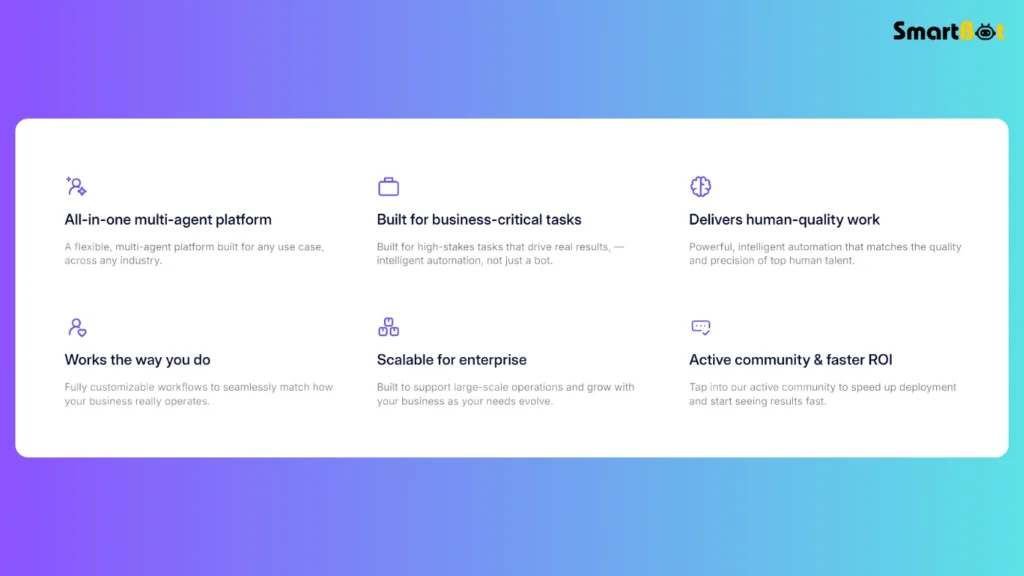
Let’s examine what makes the platform stand out. Each feature below includes a transition so the flow feels smooth when read online.
1. No-Code Workflow Builder
Instead of writing scripts, you build logic visually. Because each block is drag-and-drop, beginners can create useful agents within an hour. More importantly, advanced users still have the option to insert custom logic when needed.
2. Multi-Agent System
Beyond single automations, Relevance AI lets you connect agents so they share results. For example, one agent might collect data while another analyzes and summarizes it. This collaboration creates a network of digital workers instead of isolated bots. Consequently, businesses can replicate entire departments of routine work.
3. Extensive Integrations
The platform integrates with hundreds of apps — from Google Workspace to CRMs and messaging tools. Because connections are secured by API tokens, you can safely extend automations into existing workflows without sharing passwords. This breadth of integration makes Relevance AI a true bridge between teams and data.
4. Bring Your Own Model Option
Every organization has different requirements for speed and accuracy. Therefore, Relevance AI lets you choose your own language model. You can switch between providers to optimize cost or try new models as they emerge. That flexibility is rare in no-code tools.
5. Knowledge Base Uploads
You can feed the system documents, web links, and datasets that act as an agent’s memory. Whenever the agent runs, it draws answers from that knowledge instead of starting from scratch. As a result, outputs become more relevant and consistent over time.
6. Performance and Usage Tracking
The analytics dashboard presents a clear view of how agents perform. You see credits spent, run duration, and success percentages. With those metrics, you can fine-tune frequency or logic to reduce cost and increase efficiency.
7. Security and Compliance
Because many users handle sensitive data, Relevance AI emphasizes security. It offers role-based access controls and meets SOC 2 and GDPR standards. For enterprise clients, it adds SSO and audit logs to maintain governance.
8. Scalability
Finally, the platform grows with you. You can start with one agent and expand to a full digital workforce without changing infrastructure. Teams often pilot a single workflow, prove its value, and then scale across departments. This incremental approach makes adoption low risk and high reward.
Read Tabnine AI Review 2025 — (Features, Pros, Cons & Pricing)
Hands-On Experience & Testing Insights
When I built my first workflow inside Relevance AI, I decided to create a “Daily Marketing Summary Agent.” Its job was simple: collect trending topics from selected blogs, condense the highlights, and drop a short report into Google Sheets every morning.
Setup Experience
The builder guided me step by step, and every block displayed a short explanation. Within an hour the agent was live. Even better, I could duplicate and adjust steps without breaking the logic.
Testing Phase
During the first week the agent ran roughly fifty times. Most summaries were accurate, but a few early outputs repeated sentences. Tweaking the temperature and context parameters fixed that. In practice, the interface felt responsive and forgiving — you can experiment freely without penalty.
Integration Ease
Connecting to Google Sheets and Slack required only one-time authorization. However, linking to a private CRM demanded a custom API call, which took a few extra minutes. Still, once configured, the connection worked flawlessly.
Performance Observation
The dashboard revealed how many “actions” and “vendor credits” each run consumed. This visibility helped me plan cost control. Although Relevance AI uses credits instead of fixed pricing, the transparency makes budgeting manageable.
Overall Impression
Building agents felt creative rather than technical. Because every adjustment produced immediate visual feedback, the process stayed engaging. The only real challenge was remembering to name each workflow clearly — after a few builds, the dashboard fills quickly.
Read Gamma App Review (Features, Pros, Cons & Pricing)
Use Cases
For Marketers
- Content Research: Automate topic discovery and summarize articles for campaign planning.
- Competitor Tracking: Monitor rival websites and compile weekly change reports.
- Social Listening: Aggregate comments or reviews, classify sentiment, and alert the team.
For Sales Teams
- Lead Enrichment: Pull company data from the web, fill CRM fields, and score prospects.
- Meeting Prep: Gather recent news about a client before outreach.
- Follow-Up Reminders: Schedule personalized follow-ups directly through integrated email tools.
For Support and Operations
- Ticket Categorization: Classify support emails automatically by urgency and topic.
- Internal Knowledge Summaries: Distill long support threads into quick digests for managers.
- Inventory Monitoring: Combine spreadsheet data with notifications when stock levels drop.
For Individuals and Students
- Study Summaries: Convert long readings into concise bullet points.
- Email Triage: Sort incoming mail by importance.
- Idea Collection: Capture and organize daily insights from multiple platforms.
Across these scenarios, transition words like furthermore, in addition, and as a result describe how each workflow flows naturally from one task to the next.
Read Guru AI Review 2025 — Features, Pros, Cons & Pricing
Pros of Relevance AI
- Simple yet powerful no-code builder anyone can learn quickly.
- Option to bring your own LLM key, keeping costs flexible.
- Deep integration library covering productivity, marketing, and CRM apps.
- Clear usage analytics for optimization.
- Enterprise-grade security features such as SSO and RBAC.
- Active community sharing templates and guidance.
Cons of Relevance AI
- Credit-based pricing can confuse newcomers.
- Multi-agent setups demand moderate technical awareness.
- Some premium options sit behind higher-tier plans.
- Heavy data users may need extra storage top-ups.
Even so, these drawbacks rarely outweigh the value the system provides once users grasp its logic.
Comparison Table
| Feature | Relevance AI | Common Automation Tool | Full-Code AI Platform |
|---|---|---|---|
| No-Code Builder | ✅ Yes | ✅ Limited | ❌ No |
| Multi-Agent System | ✅ Available | ❌ No | ✅ Yes |
| Bring Your Own Model | ✅ Supported | ❌ Fixed Vendor | ✅ Yes |
| Ease of Use | ⭐⭐⭐⭐ (4/5) | ⭐⭐⭐ (3/5) | ⭐ (1/5) |
| Pricing Flexibility | ⭐⭐⭐ (3/5) | ⭐⭐⭐⭐ (4/5) | ⭐⭐ (2/5) |
| Ideal Users | SMBs & Teams | Basic Automations | Developers Only |
Pricing & Plans (as of Nov 2025)
| Plan | Monthly Price | Main Inclusions |
|---|---|---|
| Free | $0 | Trial credits, 1 user, limited storage. |
| Pro | $19 / month | ~2 500 actions, moderate vendor credits, 2 users. |
| Team | $349 / month | ~7 000 actions, multiple users, A/B testing, priority support. |
| Business | $599 / month | High limits, unlimited users, dedicated manager. |
| Enterprise | Custom | Tailored quotas, advanced security, SLA support. |
Because unused vendor credits roll over, long-term users benefit from consistent engagement rather than monthly resets. Nevertheless, keeping an eye on “Actions” consumption ensures there are no billing surprises.
Who Should Use It (and Who Shouldn’t)

Recommended For
- Professionals exploring automation without coding.
- Teams that repeat structured workflows and want AI assistants.
- Start-ups needing scalable operations at low overhead.
- Educators or students testing intelligent agents for projects.
Not Ideal For
- Businesses demanding fixed, predictable monthly billing.
- Complex enterprises needing custom-coded pipelines.
- Users hoping for plug-and-play magic without setup time.
Understanding these boundaries helps readers decide quickly whether to invest time in the platform.
Verdict Summary Table
| Category | Rating | Comment |
|---|---|---|
| Ease of Use | ⭐⭐⭐⭐ (4/5) | Friendly UI; minor learning curve for advanced logic. |
| AI Accuracy | ⭐⭐⭐⭐ (4/5) | Solid results when prompts and data are well prepared. |
| Features | ⭐⭐⭐⭐½ (4.5/5) | Broad capabilities and multi-agent support. |
| Design / UI | ⭐⭐⭐⭐ (4/5) | Clean layout that scales well for teams. |
| Pricing | ⭐⭐⭐ (3/5) | Fair value but less predictable than flat fees. |
| Support | ⭐⭐⭐⭐ (4/5) | Helpful docs and responsive team. |
| Overall | ⭐⭐⭐⭐ (4/5) | Excellent platform for anyone building practical AI agents. |
Final Thoughts
Relevance AI turns the idea of automation into something personal and creative. Instead of coding scripts, you design workflows visually and watch them think for you. Moreover, its flexibility allows both beginners and tech-savvy users to extract value quickly.
While the credit model demands awareness, the balance of power, ease, and security makes Relevance AI one of the most compelling agent-builder platforms in 2025. Anyone curious about AI-driven productivity will find it worth the experiment.
Read HyperWrite AI Review 2025 (Features, Pros, Cons & Pricing)
FAQ Section
Q1. Is Relevance AI free?
Yes, a free tier offers limited credits and storage, ideal for learning the basics.
Q2. Do I need technical skills?
Not really. The builder is visual, though understanding logic helps refine agents.
Q3. What are “credits”?
Credits represent usage. Each step or model call consumes a small portion, similar to API tokens.
Q4. Can I use my own OpenAI key?
Absolutely. Bringing your own LLM key reduces cost and increases control.
Q5. How does it differ from Zapier or Make?
Relevance AI adds intelligence — agents make decisions, not just follow triggers.
Q6. Is my data safe?
Yes. Encryption, SOC 2 standards, and RBAC protect sensitive information.
Q7. Who benefits most?
Marketers, entrepreneurs, students, and small teams seeking smarter automation without coding.

