



Read this in-depth Pictory AI Review 2025 — discover how it turns blogs, scripts, and text into engaging videos using cutting-edge AI automation. Pictory AI claims to make professional-quality video creation effortless, even for non-editors, by combining smart scene detection, voiceovers, and auto-captioning.
In this review, we’ll explore how well it actually performs, whether it’s worth the cost, and how it compares to newer AI video tools emerging in 2025.
1. Introduction
When I first tested Pictory AI, I didn’t expect an AI could turn my blog into a polished video in under five minutes.
But as the visuals, voiceovers, and captions synced together seamlessly, it hit me — video creation had just entered a new era.
In 2025, video is the undisputed king of content.
Yet, most people — from marketers and educators to small business owners — still struggle with editing, production, and post-processing.
Pictory AI aims to solve that problem completely, combining automation, creativity, and storytelling into one intuitive AI-powered platform.
This review dives deep into how it works, what it gets right, what it lacks, and whether it’s worth your time and investment.
2. What Is Pictory AI?
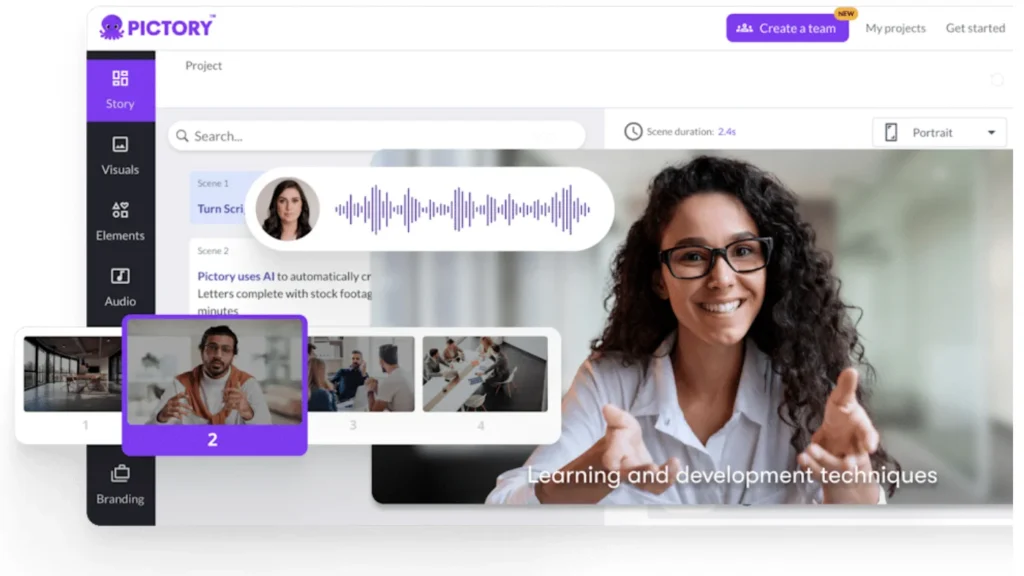
Pictory AI is an AI-driven video creation tool designed to transform long-form content — like blogs, scripts, or articles — into short, engaging videos.
Founded with the vision to make video marketing accessible to everyone, Pictory simplifies video production by automating the hard parts: scripting, sourcing visuals, adding subtitles, and even voiceovers.
Whether you’re creating educational explainers, promotional clips, or repurposing webinars, Pictory allows you to do it all without prior editing skills.
It’s essentially “video creation without a studio” — powered by machine learning and natural language processing.
3. How Pictory Works — The AI Behind the Magic
Pictory’s workflow is built around a text-to-video pipeline powered by advanced AI models.
Here’s how it typically functions:
- Input: Upload a blog post, script, or plain text.
- Analysis: The AI scans and extracts key ideas, scenes, and tone.
- Scene Mapping: Each paragraph or key point becomes a video segment.
- Media Sourcing: The AI pulls relevant visuals and stock clips automatically.
- Voiceover & Subtitles: You can add auto-generated voiceovers or use your own audio.
- Final Edit: Adjust branding, transitions, and captions before exporting.
The system uses NLP (Natural Language Processing) to understand emotion, pacing, and relevance — which is why the videos often feel cohesive and human-like.
Unlike generic video templates, Pictory doesn’t just assemble clips; it interprets meaning to match tone and message.
4. Key Features That Make It Stand Out
Here are the core features that make Pictory AI one of the most practical video tools in 2025:
🎯 1. Script-to-Video and Blog-to-Video Conversion
Paste a blog URL or script, and within minutes, Pictory transforms it into an engaging video summary. Perfect for YouTube Shorts, LinkedIn content, or website embeds.
🎧 2. AI Voiceovers and Captioning
Choose from realistic voiceover options in multiple accents and languages.
Every video includes auto-generated captions with 95%+ accuracy, improving accessibility and retention.
🪄 3. Visual Library
Pictory has an integrated media library with millions of royalty-free clips, photos, and soundtracks.
No need to browse stock sites separately.
💼 4. Brand Customization
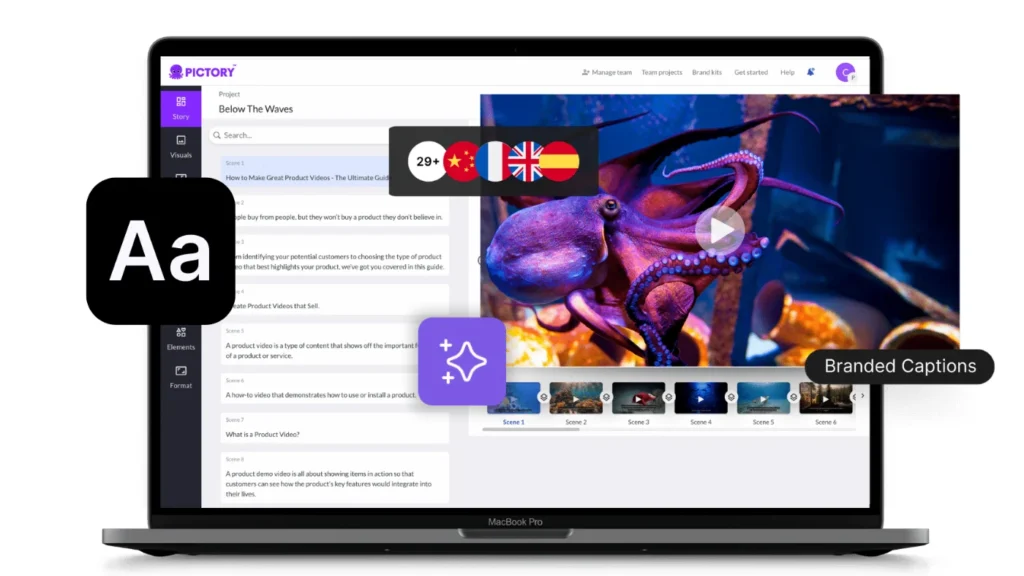
Upload logos, apply brand colors, and select font templates — ensuring every video aligns with your brand identity.
🧠 5. Summarization AI
The summarization feature extracts the most relevant content from long scripts — reducing a 2,000-word blog into a 60-second video, intelligently.
☁️ 6. Cloud-Based Editing
All processing happens in the cloud — meaning you can create and export high-quality videos even on low-spec devices.
🗣️ 7. Auto Captioning & Transcription
Pictory can generate captions and transcriptions automatically, which is ideal for accessibility, SEO, and repurposing social clips.
5. My Hands-On Experience
I used Pictory AI across three distinct projects:
🧩 A Blog-to-Video Experiment
I uploaded a 1,200-word blog post titled “Top 5 Marketing Trends for 2025.”
Pictory converted it into a 90-second video, complete with visuals, background music, and voiceover — all aligned perfectly.
Editing required less than 10 minutes.
🎓 Educational Explainer
For a teaching module, I converted a complex economics article into short explainer videos.
Pictory summarized key insights flawlessly and generated visuals matching economic graphs and trends.
It saved me nearly two hours per video compared to manual editing.
💼 Business Pitch Recap
For a client, I turned a 10-page pitch deck into a concise 60-second promotional clip.
It not only looked professional but felt cohesive, highlighting key numbers automatically.
In all three cases, time savings averaged around 80–90% compared to traditional workflows.
6. Real-World Use Cases
Pictory’s biggest strength lies in how flexible it is across industries:
1. Businesses & Marketers
Repurpose blogs, product updates, or webinars into promotional videos.
Boost brand visibility across YouTube, LinkedIn, and Instagram.
2. Educators & Trainers
Create explainer videos, online lessons, or summaries of course material — all without video-editing expertise.
3. Content Creators & Agencies
For YouTubers, agencies, and freelancers, Pictory automates repetitive tasks and lets you focus on creativity.
4. Nonprofits & Startups
Communicate ideas, tell stories, or promote initiatives quickly and affordably.
The beauty of Pictory lies in how it scales: whether you’re producing one video a week or fifty, the workflow stays fast and consistent.
Read Guru AI Review 2025 — Features, Pros, Cons & Pricing
7. Pictory AI vs Competitors
| Feature / Tool | Pictory AI | Lumen5 | Synthesia | Animoto |
|---|---|---|---|---|
| Core Function | Text-to-Video Automation | Template-based Editing | AI Avatar Videos | Manual Drag & Drop |
| Ease of Use | ★★★★★ | ★★★★☆ | ★★★☆☆ | ★★★★☆ |
| Voiceover Options | Realistic AI Voices | Limited | Human Avatars Only | Manual |
| Branding Customization | Advanced | Moderate | Advanced | Limited |
| Stock Media Library | Large (millions) | Large | Medium | Small |
| Best For | Marketers, Educators | Social Media Clips | Corporate Training | Small Businesses |
Compared to competitors, Pictory AI strikes the perfect balance between automation and creative control.
It’s not as robotic as Synthesia nor as limited as template-only tools like Animoto.
8. Pricing & Plans
| Plan | Monthly Cost | Best For | Key Features |
|---|---|---|---|
| Starter | $19 / month | Individual creators | 200 mins/month, stock videos, 1 brand kit |
| Professional | $39 / month | Businesses & teams | 600 mins/month, premium assets, 5 brand kits |
| Teams | $99 / month | Agencies & teams | 1800 mins/month, collaboration tools, API access |
| Enterprise | Custom | Large organizations | Unlimited usage, API, priority support |
As of 2025, Pictory AI offers three subscription tiers:
All plans include cloud storage, watermark-free exports, and the ability to download in HD or 4K.
When compared to manual video editing costs, even the Premium plan pays for itself after 2–3 projects.
9. Limitations & Challenges
No AI tool is perfect — and Pictory is no exception.
Here’s what I noticed:
- 🎨 Limited Design Freedom: You can’t manually reposition every element like in Adobe Premiere.
- 🎤 Voice Variability: Some AI voiceovers still sound slightly robotic on longer scripts.
- 💻 Heavy Cloud Processing: Rendering may take time during peak hours.
- 📱 Mobile Editing Limitations: Works best on desktop; mobile version lacks full controls.
- 📽️ No Custom Animation Support: It’s focused on stock visuals and templates, not motion graphics.
Still, these are minor trade-offs considering the speed, simplicity, and consistency it offers.
10. Who Should Use Pictory AI
- Solo Creators: Build consistent content pipelines effortlessly.
- Businesses: Repurpose long-form material into high-impact visuals.
- Agencies: Save hours on client video projects and increase output.
- Educators: Turn lessons, notes, or text-based learning into engaging explainer videos.
- Social Media Managers: Generate daily video content for brand engagement.
In short, anyone who has ideas but not the time or technical skill to edit videos manually — Pictory AI bridges that gap.
11. Verdict Summary Table
| Category | Score (Out of 5) | Comment |
|---|---|---|
| Ease of Use | 4.75 | Intuitive and accessible for all users |
| Output Quality | 4.4 | Professional and clean, great for marketing |
| AI Voiceovers | 4.15 | Good quality; needs more natural tone |
| Customization | 4.25 | Solid branding tools and flexibility |
| Value for Money | 4.6 | Excellent ROI for businesses and educators |
| Speed | 4.5 | Lightning-fast production time |
| Innovation | 4.35 | Balanced automation with creativity |
| Overall Rating | ⭐ 4.45 / 5 | A game-changing tool for modern content creators |
12. Final Thoughts & Review Score
After extensive testing, Pictory AI feels like the perfect blend of speed, simplicity, and storytelling.
It democratizes video creation — transforming complex production into something anyone can do.
While it doesn’t replace human editors for cinematic storytelling, it redefines what’s possible for the everyday creator.
Businesses can repurpose blogs in minutes, educators can teach visually, and creators can scale their video output exponentially — all without editing software.
If you value time, consistency, and accessibility, Pictory AI is one of the smartest investments in 2025.
Final Rating: 4.45 / 5
A revolutionary AI tool that truly lives up to its promise: turning ideas into impactful videos — effortlessly.

