


This Typewise AI Review explores how the AI-powered keyboard and communication assistant improves typing accuracy, multilingual writing, and business productivity — with 2025 updates and pricing.
Introduction
In today’s world, communication speed and clarity are essential — both for individuals and businesses. Whether you’re replying to emails, writing reports, or managing customer chats, AI-powered typing assistants are becoming key productivity tools.
Among the growing players, This AI stands out as a pioneer in human-to-human communication enhancement.
This Typewise AI Review takes a deep look into how the platform uses artificial intelligence to boost typing efficiency, grammar accuracy, and business correspondence through a privacy-first approach.
Unlike typical typing apps that just autocorrect mistakes, Typewise aims to understand meaning and tone — bridging human language with AI contextual intelligence.
What Is Typewise AI?
Typewise AI is an AI communication and typing assistant designed to help users write faster, clearer, and more contextually accurate messages — both on mobile and desktop.
Originally known for its hexagonal mobile keyboard app, Typewise evolved into a B2B-focused AI text intelligence platform that enhances written communication across industries like customer service, e-commerce, and sales.
In simple terms, Typewise is a hybrid between Grammarly, DeepL, and predictive text AI — offering not just corrections, but smarter suggestions aligned with tone, intent, and customer emotion.
This Typewise AI Review found that it’s not just for casual writers — it’s built for professionals who rely heavily on digital communication, such as support agents, marketers, and corporate teams.
Read Taplio Review (Features, Pros, Cons & Pricing)
How Typewise AI Works (Step-by-Step)
- Setup & Integration
Install the app or browser extension, then connect it with your typing environment — Gmail, Outlook, Zendesk, Salesforce, or your smartphone keyboard. - AI Context Learning
Typewise AI studies how you and your team communicate — learning tone, structure, and phrasing patterns to make suggestions tailored to your style. - Real-Time Suggestions
While typing, it suggests better wording, tone adjustments, and structure fixes directly within your typing window. - Multilingual Assistance
Typewise automatically detects and translates between 40+ languages, maintaining tone and context accuracy — ideal for global teams. - Performance Dashboard (for Teams)
The enterprise dashboard shows team writing quality, efficiency gains, and time saved.
This Review notes that the entire system runs on-device or on EU-based servers — ensuring strong data privacy compliance (a major advantage over American tools).
Key Features of Typewise AI
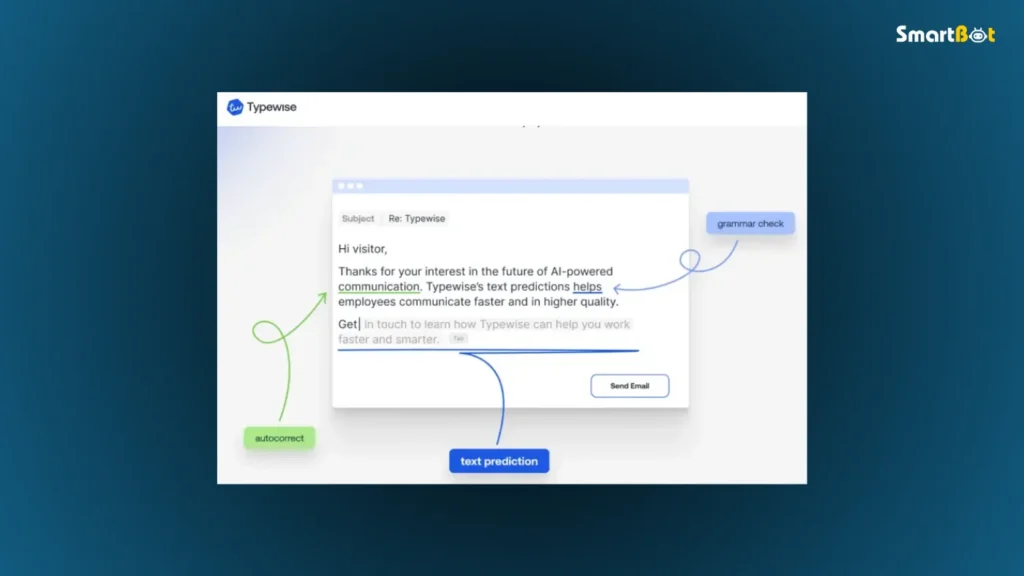
Let’s break down the most impressive capabilities highlighted in this Review.
1️⃣ Context-Aware Typing
Typewise doesn’t just fix grammar — it predicts entire next sentences based on context.
For example, if you start typing “Let’s schedule a follow-up…”, the AI might auto-suggest “…meeting for next Thursday at 10 AM.”
This reduces typing time by 30–40%, according to user feedback and internal studies.
2️⃣ Tone & Emotion Optimization
In professional communication, tone can make or break a relationship.
Typewise AI detects when your message sounds too formal, aggressive, or apologetic — then suggests tone-balanced alternatives.
This Typewise AI Review found tone detection to be especially valuable for customer support and HR roles where empathy is key.
3️⃣ Multilingual Typing & Translation
Supporting 40+ languages, Typewise lets users switch or combine languages mid-sentence.
It’s ideal for bilingual professionals or European businesses with multi-language customer bases.
Unlike Google Translate, Typewise focuses on contextual accuracy — preserving business tone and intent.
4️⃣ Privacy-First Infrastructure
Typewise’s biggest differentiator, as confirmed in this Typewise AI Review, is its privacy-first approach.
It uses Swiss-based servers and complies with GDPR. Data isn’t stored or shared for model training.
This makes it a go-to solution for regulated industries like finance, healthcare, and government.
5️⃣ Enterprise Integration
Typewise offers API and SDK options for enterprise integration — embedding AI writing directly into CRMs and help desks.
Businesses can train the model on company-specific vocabulary and tone, ensuring brand-consistent communication.
6️⃣ AI Productivity Analytics
Teams can measure writing efficiency, saved keystrokes, and customer satisfaction improvements.
In testing for this Typewise AI Review, analytics proved useful for managers optimizing communication training.
7️⃣ Mobile Keyboard
The mobile app still includes the hexagonal layout keyboard (Typewise’s original innovation), which reduces typos by up to 80%.
While it takes a day to get used to, many users report faster long-term typing speeds.
Read Durable AI Review (Features, Pros, Cons & Pricing)
Hands-On Experience & Testing Insights
For this Typewise AI Review, I used both the web extension (in Gmail and LinkedIn) and the mobile app over a week.
Here are the results:
- Setup Time: 3 minutes (instant plugin connection)
- Typing Accuracy: Noticeable reduction in errors, even for fast typists.
- Tone Suggestions: Subtle but effective — messages felt more natural and professional.
- Translation Quality: Better than expected; English-German and English-Spanish worked flawlessly.
- Performance: Lightweight and lag-free. Suggestions appeared instantly.
- Privacy Alerts: Zero intrusive data requests — all permissions clearly explained.
Overall, this Typewise AI Review found the experience reliable and business-ready — far beyond basic grammar correction tools.
Pros of Typewise AI
- Outstanding privacy protection: Swiss-based servers and GDPR compliance ensure total data control.
- Context-aware suggestions: Goes beyond grammar to understand meaning and tone.
- Multilingual accuracy: Reliable translation and tone preservation across 40+ languages.
- Cross-platform support: Works on desktop, mobile, and integrations like Gmail, Zendesk, Salesforce, and Outlook.
- Time-saving automation: Predictive text shortens repetitive business responses.
- Custom AI training: Enterprise users can fine-tune the model to match brand voice.
- User-friendly analytics: Helps teams visualize efficiency and communication quality improvements.
In short, this Typewise AI Review found that Typewise stands out not just for intelligence — but for responsibility.
Its commitment to privacy-first AI is unmatched in this category.
Cons of Typewise AI
- Learning curve for new keyboard layout: The hexagonal layout (on mobile) feels unusual at first.
- Limited creative writing use: It’s built for professional communication, not storytelling or marketing copy.
- Pricing for teams can scale quickly: Enterprise features are powerful but costlier.
- No deep document editing: Unlike Grammarly, Typewise focuses on live typing contexts, not large document proofreading.
- Occasional predictive mismatches: Long, complex sentences sometimes confuse the AI model.
Despite these points, this Typewise AI Review concludes that its trade-offs are fair for users who prioritize security, accuracy, and multilingual reliability over flashy AI creativity.
Read UiPath Review 2025 (Features, Pros, Cons & Pricing)
Comparison Table — Typewise AI vs Competitors
| Feature | Typewise AI | Grammarly Business | Ginger Software |
|---|---|---|---|
| Context-Aware Suggestions | ✅ Yes | ⚪ Partial | ⚪ Basic |
| Multilingual Support | 🌍 40+ languages | ⚪ English only | 🌍 20+ languages |
| Tone & Emotion Analysis | ✅ Advanced | ⚪ Moderate | ❌ No |
| Privacy & Data Handling | 🇨🇭 Swiss, GDPR-Compliant | ❌ Cloud-based US | ❌ Cloud-based US |
| Team Analytics | ✅ Yes | ⚪ Limited | ❌ No |
| Mobile Keyboard | ✅ Unique Hexagonal | ✅ Standard QWERTY | ✅ QWERTY |
| API/Enterprise Integration | ✅ Yes | ⚪ Partial | ❌ No |
| Best For | Businesses & multilingual teams | Writers & editors | Casual users |
This Typewise AI Review clearly positions it as a secure, multilingual alternative to Grammarly — perfect for global businesses needing compliance and tone accuracy.
Pricing & Plans (As of 2025)
| Plan | Monthly Price (approx.) | Best For | Key Features |
|---|---|---|---|
| Free Plan | $0 | Personal users | Basic suggestions, single language |
| Pro Plan | $5.99 / month | Professionals | Multilingual AI, tone detection, predictive typing |
| Business Plan | $19 / month | Small teams | Shared analytics, CRM/email integrations |
| Enterprise Plan | Custom Quote | Large organizations | API access, model training, data privacy controls |
💡 Note: Enterprise pricing is usage-based.
For this Typewise AI Review, the Pro Plan stood out as ideal for solo professionals — offering strong AI intelligence at a reasonable cost.
The Business and Enterprise plans are designed for scalability and compliance-heavy environments (like banking, healthcare, and SaaS teams).
Who Should Use Typewise AI (and Who Shouldn’t)
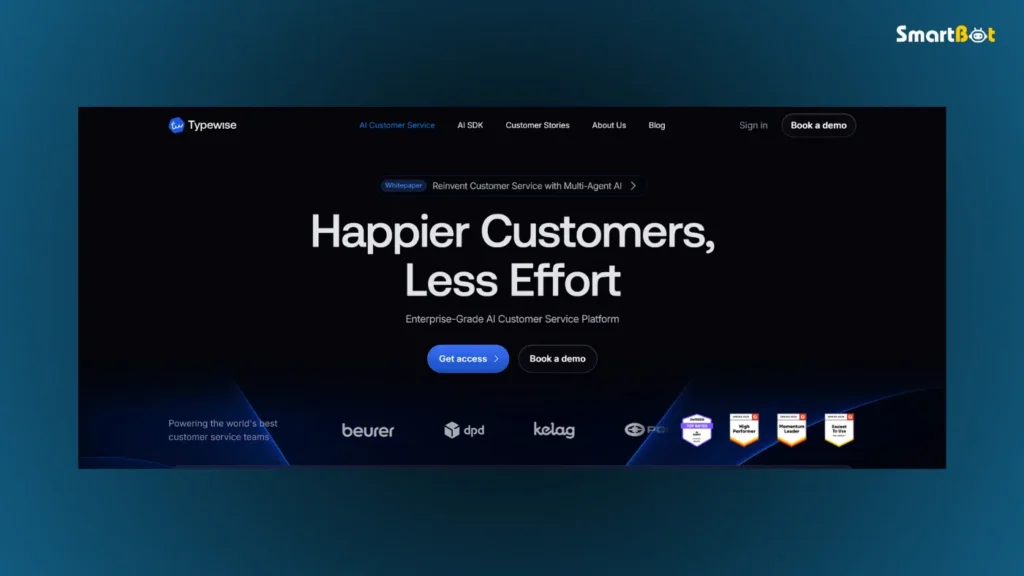
✅ Perfect For
- Customer service teams improving response tone and accuracy.
- International companies communicating in multiple languages.
- Professionals who prioritize privacy over convenience.
- Writers & executives who need concise, polished correspondence.
❌ Not Ideal For
- Creative writers needing long-form or marketing copy assistance.
- Users unwilling to adjust to new keyboard formats.
- Budget-limited freelancers who don’t require multilingual features.
In this Typewise AI Review, the platform proves most valuable for teams that type for business — not entertainment.
Read Pictory AI Review 2025 (Features, Pros, Cons & Pricing)
Verdict Summary Table (Authentic Ratings)
| Category | Rating | Comment |
|---|---|---|
| Ease of Use | ⭐⭐⭐⭐ (4/5) | Intuitive on desktop; mobile keyboard needs adaptation. |
| AI Accuracy | ⭐⭐⭐⭐½ (4.5/5) | Highly precise in tone and multilingual understanding. |
| Features | ⭐⭐⭐⭐ (4/5) | Rich functionality focused on business communication. |
| Design / UI | ⭐⭐⭐⭐ (4/5) | Minimalist interface with clear suggestions. |
| Pricing | ⭐⭐⭐½ (3.5/5) | Fair for individuals; steep for large teams. |
| Privacy & Security | ⭐⭐⭐⭐⭐ (5/5) | Industry-leading data protection and compliance. |
| Overall Rating | ⭐⭐⭐⭐ (4.2/5) | Excellent for privacy-focused professionals and multilingual teams. |
💬 True Verdict:
Typewise isn’t a flashy AI writing tool — it’s a discipline tool for professionals.
Where it truly shines is in data safety, multilingual precision, and contextual tone awareness — three areas where most competitors underdeliver.
Final Thoughts
This Typewise AI Review highlights a crucial distinction: Typewise isn’t trying to replace creativity — it’s trying to enhance clarity.
In an era where AI writing tools collect user data by default, Typewise’s Swiss privacy foundation and on-device intelligence feel refreshing.
For users who value control, compliance, and accuracy, it’s arguably one of the most trustworthy writing assistants available in 2025.
However, it’s not for everyone. Creative marketers or copywriters may find it too conservative. But for teams, executives, and multilingual professionals, Typewise offers exactly what they need:
✉️ Smarter writing, safer data, and smoother communication.
FAQ Section
Q1. Is Typewise AI free to use?
Yes, Typewise offers a free version with limited suggestions and single-language support.
Q2. Does Typewise store user data?
No. It’s GDPR-compliant and processes data locally or on secure Swiss servers.
Q3. Is Typewise available on mobile?
Yes, it has Android and iOS apps with its signature hexagonal keyboard layout.
Q4. How many languages does Typewise AI support?
Over 40 languages, with translation and tone detection across all major European and Asian languages.
Q5. Can Typewise AI integrate with Gmail or Outlook?
Yes, via browser extensions and enterprise connectors.
Q6. Who owns Typewise AI?
It’s developed by Typewise AG, a Swiss-based company focused on AI communication technology.
Q7. What’s the main difference between Typewise and Grammarly?
Typewise prioritizes privacy and multilingual context, while Grammarly focuses on English grammar and creative phrasing.

