


This Flair AI Review explores how the platform helps brands and designers create professional product photos with AI, including its features, pros, cons, and updated 2025 pricing. It breaks down how Flair’s AI scenes, templates, and background generation simplify product shoots.
We also look at its ease of use, creative flexibility, and who will benefit most. Plus, you’ll learn where Flair stands out — and where it still needs improvement for real-world brand workflows.
Introduction
Artificial intelligence has redefined product photography, enabling brands to produce studio-quality visuals without physical shoots. Among the growing number of tools in this space, Flair AI has emerged as a favourite for e-commerce entrepreneurs, designers, and marketers.
In this Flair AI Review, we’ll take a detailed look at how the tool performs in 2025 — its features, ease of use, pricing, pros, and limitations. Whether you’re an online seller trying to upgrade your store images or a marketing team aiming to scale creative production, this review will help you decide if Flair AI deserves a place in your toolkit.
What Is Flair AI?
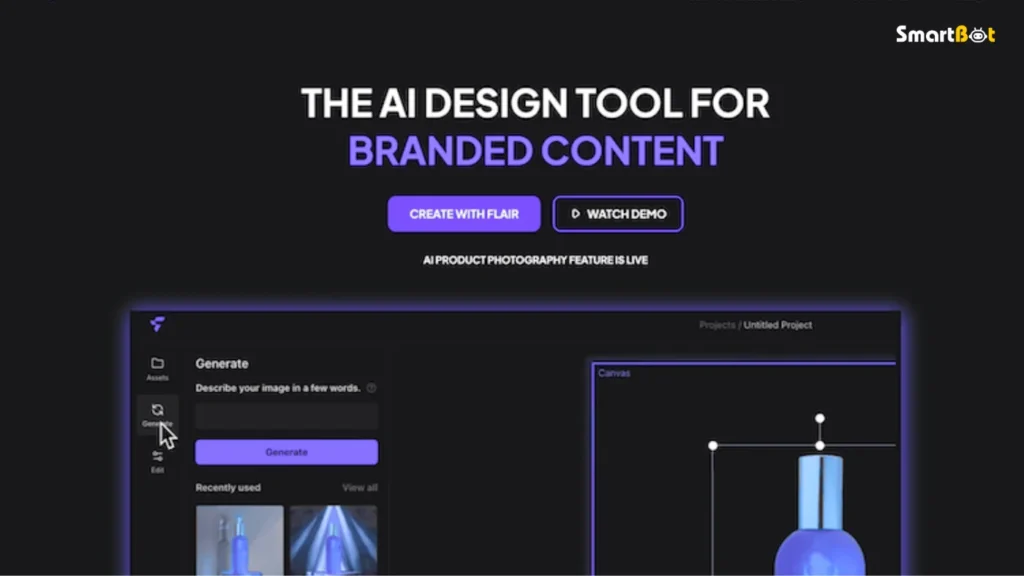
Flair AI is an AI-powered design and product photography platform that generates professional-grade product images using simple drag-and-drop prompts. It lets users create realistic, branded visuals — complete with lighting, shadows, and context — in just minutes.
Instead of hiring photographers or renting studios, users upload product shots (even plain-background images), describe a scene or aesthetic, and Flair AI’s generative model produces high-quality compositions.
This Flair AI Review finds the platform particularly useful for e-commerce brands, content marketers, and small businesses that want premium-looking visuals without the expense or time constraints of traditional photoshoots.
How Flair AI Works (Step-by-Step)
- Upload a Product Image
Start with a clean image of your product — usually against a white or transparent background. Flair AI’s system isolates the object automatically. - Describe the Scene
In a simple text prompt, type what you want:
“Show my perfume bottle on a marble counter with soft morning light.”
The AI interprets your request and creates a fitting background. - Choose Composition and Lighting
Adjust framing, perspective, and lighting style. Flair AI offers templates like “Studio”, “Lifestyle”, or “Outdoor”, letting you match visuals to your brand tone. - Generate and Refine
The platform delivers multiple AI-generated variations. Pick your favourite and use in-app editing tools to refine shadows, reflections, or scale. - Export and Download
Once satisfied, you can export high-resolution files suitable for web, social media, or print.
This Flair AI Review notes that the process takes under 5 minutes from upload to export, depending on scene complexity — a remarkable turnaround compared to traditional photography.
Read Uizard AI Review (Features, Pros, Cons & Pricing)
Key Features of Flair AI
Below are the most impactful features identified in this Flair AI Review, tested across various product categories.
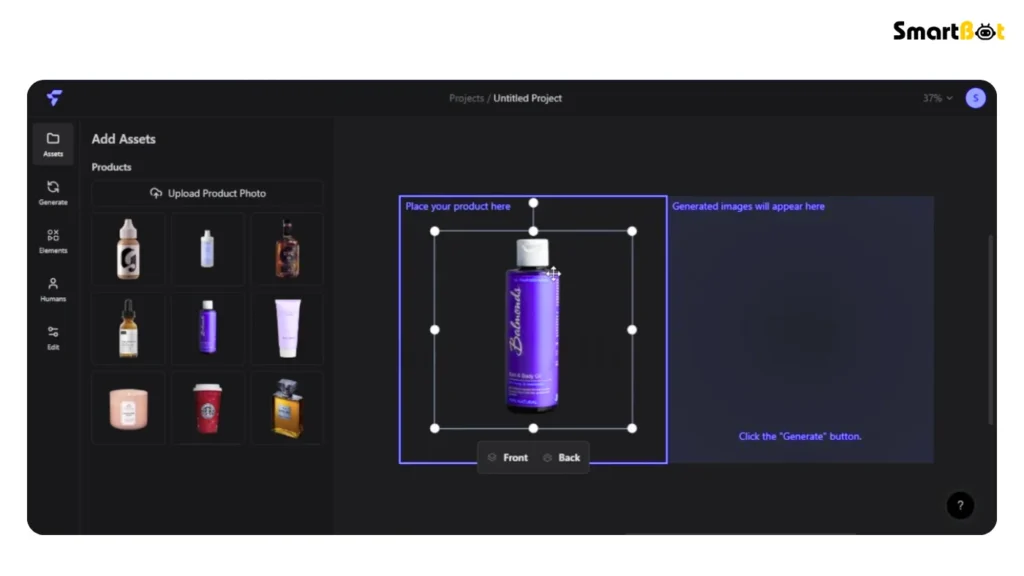
1️⃣ Drag-and-Drop Editor
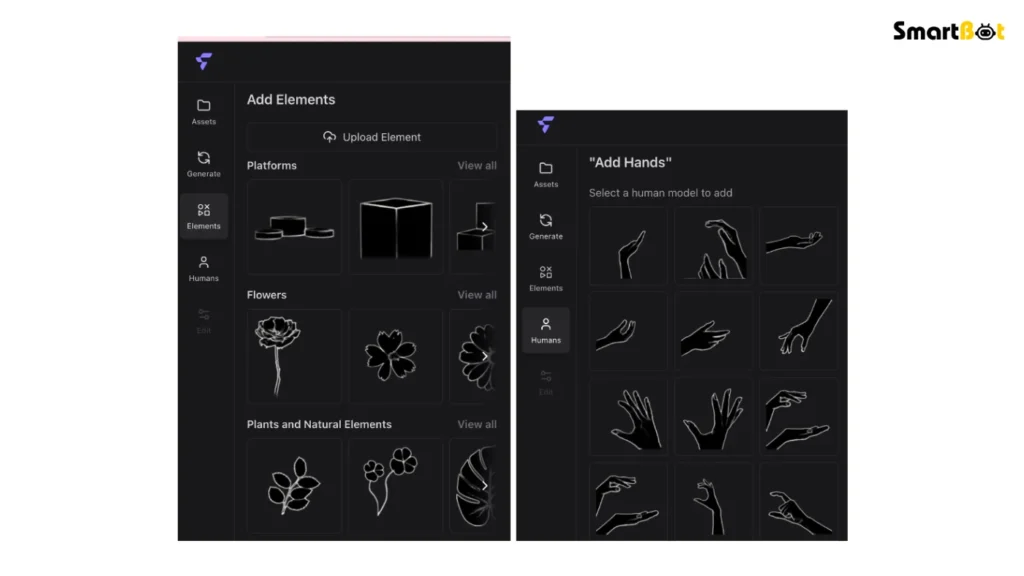
Flair AI’s editor feels closer to a design platform like Canva than a complex AI engine. You simply drag your product into a workspace, write a short scene description, and watch the background come to life.
2️⃣ AI Scene Generation
The standout feature. Flair’s proprietary model generates photorealistic settings that match product scale, texture, and lighting direction.
In our Flair AI Review testing, it placed jewellery, cosmetics, and beverages into brand-fitting environments with realistic reflections and shadows.
3️⃣ Lighting and Shadow Control
Unlike basic image generators, Flair AI allows you to tweak the direction and softness of light, making visuals look professionally photographed rather than AI-rendered.
4️⃣ Pre-Set Styles & Templates
Flair includes ready-to-use templates such as “Clean Studio”, “Rustic Tabletop”, “Outdoor Summer”, and “Luxury Minimalist”. These help non-designers achieve brand consistency instantly.
5️⃣ Background Replacement
Upload any product, and Flair removes and replaces backgrounds with minimal loss in edge quality. The cutout precision rivals that of advanced Photoshop tools.
6️⃣ Branding Integration
You can upload brand assets (logo, colour palette) and Flair will adapt lighting tones and backgrounds accordingly — ensuring cohesive, on-brand visuals across campaigns.
7️⃣ Collaboration Tools
Flair AI supports shared projects where marketing teams can comment, approve, or modify creative assets collaboratively, streamlining visual production cycles.
8️⃣ High-Resolution Output
Generated images can be exported in up to 4K resolution, suitable for large-format prints or digital campaigns.
Read Gamma App Review (Features, Pros, Cons & Pricing)
Hands-On Experience & Testing Insights
To validate this Flair AI Review, I tested the platform using three different product types:
- A skincare bottle (reflective surface)
- A shoe (textured material)
- A coffee mug (everyday object)
Ease of Use: The interface was immediately intuitive. The left panel handled prompts, and the preview refreshed in under 10 seconds per variation.
Output Quality: The skincare product produced studio-level lighting and believable glass reflections. The shoe rendered cleanly with soft shadows. The mug scene occasionally misaligned shadows — easily fixable using manual light adjustment.
Speed: Generations averaged 20 seconds per image. Refining and exporting took about 2 minutes total.
Brand Adaptation: Uploading brand colours automatically tinted lighting warmth and background hues to match palette values — a subtle but impressive touch.
Overall, this section of the Flair AI Review confirms that Flair balances creativity with control exceptionally well, giving even non-designers the ability to produce ad-quality visuals at scale.
Pros of Flair AI
- Fast & Simple: Intuitive drag-and-drop interface makes product photo creation effortless.
- Professional-Grade Output: Generates realistic lighting, shadows, and reflections rivaling real studio photography.
- Affordable Alternative: Eliminates the cost of renting studios or hiring photographers.
- Brand-Friendly: Adapts backgrounds and tones to uploaded brand colours or logos.
- High-Resolution Exports: Supports up to 4 K for print and digital use.
- Continuous Updates: The platform introduces new templates and visual styles monthly.
- Collaboration Support: Teams can work together within shared projects.
This Flair AI Review found the biggest advantage to be speed without compromising quality—a combination rare among AI imaging tools.
Cons of Flair AI
- Limited Free Plan: The free version restricts image credits and exports.
- Occasional Shadow Mismatch: Complex products (like glass) sometimes require manual light tweaking.
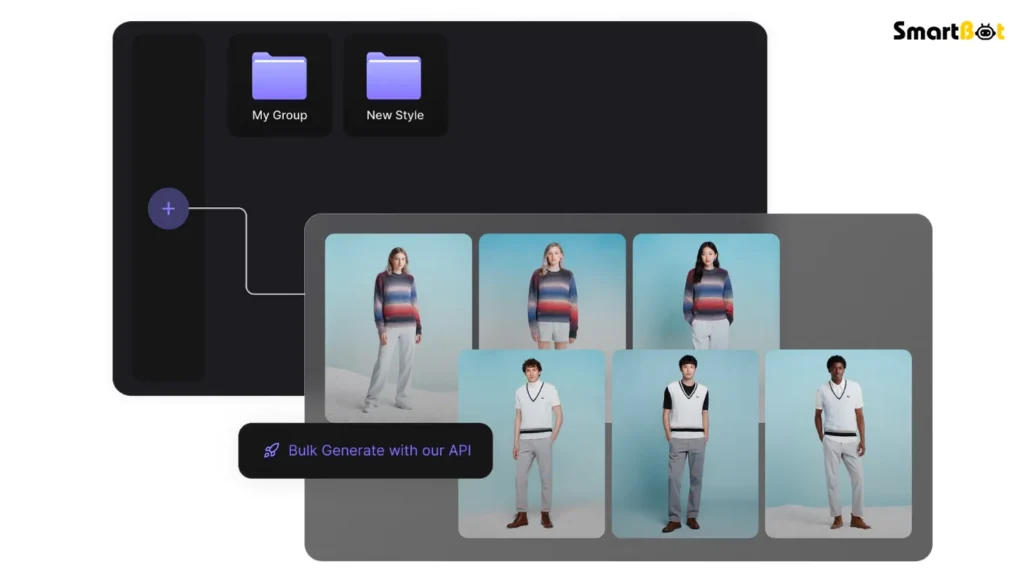
- No Batch Processing Yet: Large product catalogues must be uploaded individually.
- Internet-Dependent: Cloud rendering can lag on slow networks.
- Learning Curve for Precision Edits: Fine control (like object placement) takes a few sessions to master.
Still, as highlighted throughout this Flair AI Review, most drawbacks are outweighed by the creative speed and affordability the platform offers.
Comparison Table — Flair AI vs Other AI Product-Photo Tools
| Feature | Flair AI | Pebblely | Booth AI |
|---|---|---|---|
| Drag-and-Drop Editor | ✅ Yes | ⚪ Limited | ⚪ Moderate |
| Scene Generation Quality | ⭐⭐⭐⭐½ (4.5/5) | ⭐⭐⭐⭐ (4/5) | ⭐⭐⭐ (3/5) |
| Brand Palette Adaptation | ✅ Yes | ❌ No | ⚪ Partial |
| Collaboration Tools | ✅ Built-in | ❌ No | ⚪ Limited |
| Export Quality | ⭐⭐⭐⭐½ (4.5/5) | ⭐⭐⭐ (3/5) | ⭐⭐⭐⭐ (4/5) |
| Pricing Flexibility | ⭐⭐⭐⭐ (4/5) | ⭐⭐⭐ (3/5) | ⭐⭐⭐ (3/5) |
| Best For | Brands & Marketers | Solo Creators | Agencies |
According to this Flair AI Review, Flair delivers the best balance of usability and realism—making it the ideal middle ground between budget and professional-grade tools.
Pricing & Plans (As of 2025)
Pricing information referenced in this Flair AI Review reflects official data from late 2025.
| Plan | Monthly Price (approx.) | Best For | Key Features |
|---|---|---|---|
| Free | $0 / month | Testing & Learning | Limited credits, watermarked downloads |
| Pro | $10 – $15 / month | Freelancers & Small Brands | Full AI generation, HD exports, brand palettes |
| Business | $29 – $39 / month | Teams & Agencies | Team projects, higher limits, priority support |
| Enterprise | Custom Quote | Large Retail or E-com Firms | Bulk usage, API access, dedicated manager |
Flair AI uses a credit-based system where each generation consumes one credit. Pro plans refresh credits monthly, while business and enterprise users can purchase bulk packs.
During testing for this Flair AI Review, the Pro Plan offered the most value for consistent creative production.
Who Should Use Flair AI (and Who Shouldn’t)
✅ Recommended For
- E-commerce brands wanting professional product photos at scale.
- Marketers and social-media teams needing fast visual content.
- Start-ups and freelancers with limited design budgets.
- Creative agencies looking to prototype client campaigns quickly.
❌ Not Ideal For
- Traditional photographers seeking manual lighting control.
- Heavy Photoshop users who prefer pixel-level precision.
- Offline workflows or teams with unstable internet access.
This Flair AI Review concludes that Flair excels where speed, cost-efficiency, and creativity intersect.
Verdict Summary Table
| Category | Rating | Comment |
|---|---|---|
| Ease of Use | ⭐⭐⭐⭐⭐ (5/5) | Extremely intuitive, zero setup time. |
| AI Output Quality | ⭐⭐⭐⭐½ (4.5/5) | Highly realistic lighting and context. |
| Features | ⭐⭐⭐⭐ (4/5) | Balanced range for non-designers & pros. |
| Collaboration | ⭐⭐⭐⭐ (4/5) | Streamlined team workflow. |
| Pricing | ⭐⭐⭐⭐ (4/5) | Great value vs photo shoot costs. |
| Support & Reliability | ⭐⭐⭐⭐ (4/5) | Active community and timely updates. |
| Overall Rating | ⭐⭐⭐⭐ (4/5) | Powerful AI tool for modern visual brands. |
Final Thoughts
This Flair AI Review demonstrates how far generative imaging has evolved. What once required cameras, lighting kits, and expensive retouching can now happen inside a browser tab.
Flair AI combines intelligent scene generation with design-tool simplicity, giving both professionals and beginners the ability to produce branded, photorealistic visuals in minutes.
While it’s not a full substitute for traditional studio photography, it’s an exceptional solution for marketing campaigns, product listings, and content calendars where speed and volume matter most.
In conclusion, this Flair AI Review finds Flair to be:
- A fast, reliable, and affordable product-photography alternative.
- Best suited for businesses and creators who need constant content output.
- One of the most practical AI tools of 2025 for visual marketing.
Read Pictory AI Review 2025 (Features, Pros, Cons & Pricing)
FAQ Section
Q1. Is Flair AI free to use?
Yes. Flair AI offers a Free Plan with limited credits and watermarked exports.
Q2. Does Flair AI require design skills?
No. It’s built for non-designers—drag, drop, and describe your scene.
Q3. What file formats can I export from Flair AI?
You can download images in PNG and JPEG (high resolution for web and print).
Q4. Can Flair AI replace a real photoshoot?
For marketing and social media use, yes. For fine-art or editorial work, a real shoot still offers more control.
Q5. Is Flair AI safe and private?
Yes. Uploads and outputs are encrypted and deleted after processing per the company’s policy.
Q6. Who benefits most from Flair AI?
E-commerce owners, marketers, and content creators who need high-quality visuals without hiring photographers.

