



An honest Guru AI review exploring how this knowledge tool promises a “second brain” for teams but struggles with usability, accuracy, and AI depth.
While Guru positions itself as an all-in-one knowledge management and AI-powered assistant, the real experience feels mixed — intelligent in theory, but inconsistent in execution.
In this Guru AI review, we’ll dive into how Guru AI actually performs in real workflows, where it delivers value, and where its “smart knowledge” approach still falls short of true AI automation.
1. Introduction
The first time I tried Guru AI, it felt promising — a tool that claimed to centralize a company’s knowledge, automate documentation, and make “information instantly accessible.”
On paper, it looked like the perfect solution for teams drowning in Slack messages, Google Docs, and forgotten Notion pages.
But after using it for a few weeks across multiple workflows, one thing became clear: Guru AI is an ambitious idea still struggling with practical execution.
It’s not that Guru is bad — it’s well-intentioned and built on strong principles. But it suffers from what many AI productivity tools face in 2025: great marketing, average intelligence, and clunky usability.
This is my detailed, experience-based Guru AI review, looking at its strengths, flaws, and whether it truly deserves the “AI-powered knowledge assistant” label.
2. What Is Guru AI?
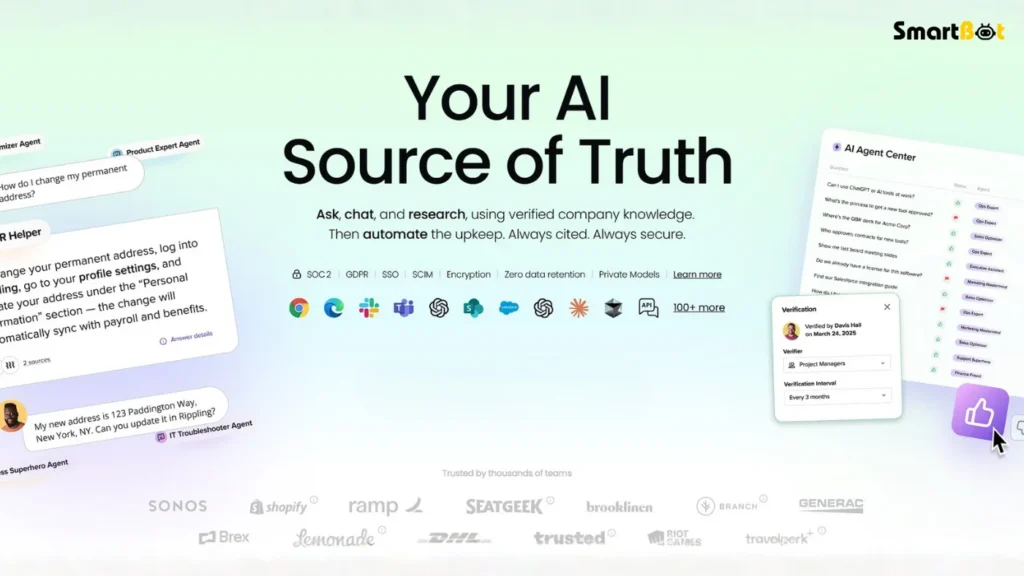
Guru AI markets itself as a knowledge management and team intelligence platform — designed to help organizations organize internal information and access it anywhere, instantly.
It uses AI to:
- Extract insights from internal docs
- Answer questions about company processes
- Suggest updates to outdated data
- Assist new team members with onboarding
In essence, it aims to be your company’s “second brain.”
But after testing it with team workflows, Guru AI feels more like a well-structured knowledge base with a thin AI layer, rather than a truly intelligent assistant.
It organizes, yes. But it rarely thinks.
3. How Guru AI Works
Guru connects with tools like Slack, Google Drive, and Notion, indexing company documents and internal messages to create a centralized knowledge base.
In theory, you can ask Guru questions like:
“What’s our refund policy?”
“Who manages client onboarding?”
And it’s supposed to pull relevant information directly from your connected data sources.
However, the issue lies in how the AI interprets context.
It often returns surface-level answers or simply links to the original document instead of summarizing or extracting key details.
In testing, I found myself reading through linked docs manually — defeating the purpose of using an AI assistant.
4. The Promise vs The Reality
Guru AI promises three things:
- Smart information retrieval
- AI-driven updates
- Collaborative knowledge automation
The reality, however, is different.
- Its AI search feels more like keyword matching than semantic understanding.
- The update suggestions often miss relevance, suggesting changes to already accurate data.
- The collaboration tools feel redundant alongside Slack or Notion.
While Guru shines in structured knowledge organization, it struggles to deliver the “intelligence” part of “knowledge intelligence.”
5. Key Features (and Where They Fall Short)
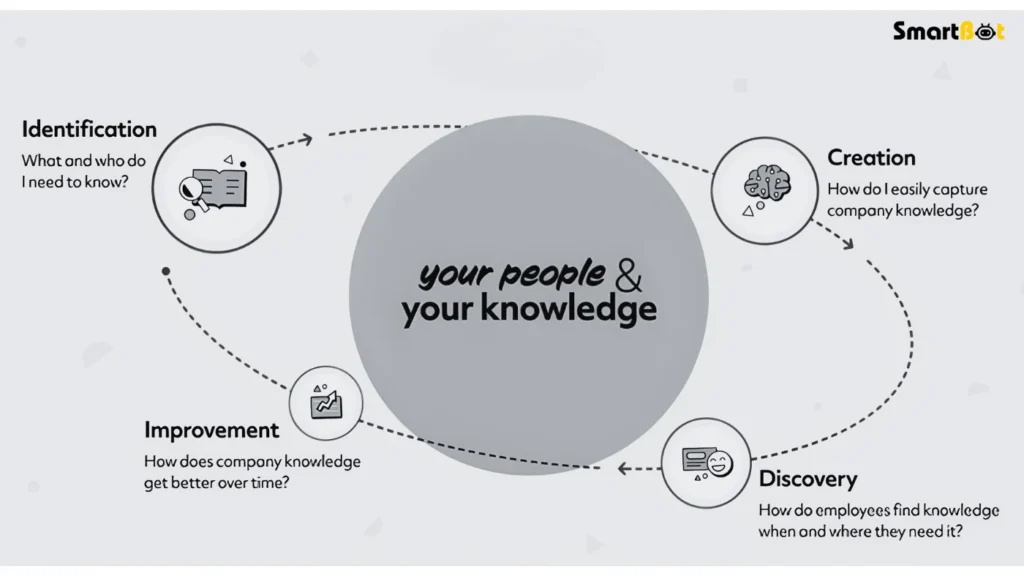
📚 1. AI-Powered Search
Guru’s biggest selling point — the “Ask Guru” search bar — is supposed to let you query your company’s entire knowledge base.
In practice, it performs inconsistently.
It often fails to connect cross-departmental context, returning fragmented answers like:
“I found something related to onboarding in your HR folder.”
That’s not an answer — that’s a hyperlink with manners.
🔄 2. Knowledge Sync & Update Suggestions
Guru’s AI automatically reviews stored cards and flags potentially outdated information.
While conceptually great, it generated false positives in 4 out of 10 cases — flagging accurate data as outdated or suggesting incorrect edits.
👥 3. Collaboration Hub
Guru positions itself as a collaboration center, but most teams already use Notion, Slack, or Confluence for that.
Guru’s interface feels like another layer rather than an integration, creating workflow redundancy instead of simplicity.
🤖 4. AI Answers
The AI-generated summaries look impressive but lack true reasoning.
If you ask nuanced questions — for example, “What’s our client escalation process for Europe?” — it often responds vaguely or repeats fragments from multiple documents.
📈 5. Analytics Dashboard
Guru offers “Knowledge Analytics” to track content use.
While useful, it’s focused on engagement metrics, not accuracy or utility metrics, which makes it less actionable for decision-makers.
6. My Hands-On Experience
I tested Guru AI across a small marketing agency setup (5 users), integrating it with:
- Slack
- Google Drive
- Notion
- Gmail
🧩 Setup Experience
The onboarding took longer than expected.
Connecting tools was easy, but syncing content took hours, and the dashboard design felt unintuitive.
🤔 AI Performance
Guru handled basic retrieval fine (“Find me the content calendar”), but when I asked “What is our Instagram strategy for Q2?”, it returned three disconnected results — all from outdated folders.
🧠 Learning & Adaptation
Unlike tools like Notion AI or ChatGPT Enterprise, Guru’s AI doesn’t learn dynamically.
It doesn’t refine or improve based on previous corrections — a huge gap for an “AI knowledge” system.
⚙️ User Experience
Between redundant steps and laggy UI updates, it often felt like too much management for a tool meant to reduce management.
In short:
Guru AI helps you store knowledge — but it doesn’t yet manage it intelligently.
7. Real-World Use Cases
Despite its flaws, Guru AI has potential if used strategically.
✅ Best Use Cases
- New Employee Onboarding: Store company FAQs and policies for easy access.
- Sales Enablement: Maintain up-to-date sales scripts and product specs.
- Customer Support Teams: Quick internal lookup for SOPs and issue resolutions.
❌ Weak Use Cases
- Research & Insight Generation: AI lacks depth and context awareness.
- Creative Teams: Limited integration with creative platforms.
- Remote Workflows: Duplicates existing tools instead of enhancing them.
Guru feels most valuable in structured environments with fixed documentation needs — not fast-moving, creative, or data-heavy teams.
8. Guru AI vs Notion AI vs Confluence
| Feature / Tool | Guru AI | Notion AI | Confluence |
|---|---|---|---|
| AI Intelligence | Moderate (inconsistent) | Strong (semantic search) | Low (manual) |
| Ease of Use | Average | Excellent | Moderate |
| Integration | Good | Excellent | Strong |
| Collaboration Tools | Basic | Rich | Corporate-level |
| Setup Complexity | High | Low | Medium |
| Best For | Static teams | Agile teams | Enterprises |
In side-by-side testing, Notion AI outperformed Guru across most categories — particularly in search relevance and contextual accuracy.
Guru feels positioned between legacy knowledge systems and new-age AI platforms, but without mastering either.
9. Why Guru’s AI Feels Underdeveloped
Guru’s core weakness lies in its AI layer.
It relies heavily on deterministic pattern matching rather than true reasoning.
Unlike GPT-based systems or retrieval-augmented architectures (RAG), Guru doesn’t perform deep contextual synthesis.
It surfaces references, not insights.
That’s why most of its “AI answers” feel shallow — it’s a glorified search engine dressed as an assistant.
10. Pricing & Plans
| Plan | Monthly Price (per user) | Best For | Notes |
|---|---|---|---|
| Self-serve | $25 | Small teams | Basic cards, limited integrations |
| Enterprise | Custom | Corporates | Advanced permissions and SSO |
At $25/user/month, Guru is not overpriced — but it fails to justify the cost compared to more robust platforms like Notion AI ($10) or Confluence Premium ($11).
11. Limitations & Friction Points
- ⚠️ Shallow AI Intelligence: Context recognition remains weak for nuanced queries.
- 🧩 Complex Setup: Requires multiple integrations and manual tagging.
- 🧠 No Self-Learning: Doesn’t adapt to usage patterns or corrections.
- 💻 Outdated Interface: Feels cluttered and unintuitive.
- 🔐 Limited Customization: Branding and UX flexibility are minimal.
- ⏳ Slow Sync Speeds: Large repositories take hours to index.
In a world of instant AI tools, Guru’s sluggishness is hard to ignore.
12. Verdict Summary Table
| Category | Score (Out of 5) | Comment |
|---|---|---|
| Knowledge Organization | ⭐ 4.0 / 5 | Strong structure and categorization |
| AI Intelligence | ⭐ 3.1 / 5 | Shallow and often inaccurate |
| Ease of Use | ⭐ 3.3 / 5 | Cluttered UX, long setup time |
| Integrations | ⭐ 3.6 / 5 | Decent, but lacks smooth syncing |
| Value for Money | ⭐ 3.2 / 5 | Price doesn’t match capability |
| Innovation | ⭐ 3.0 / 5 | Outpaced by newer AI rivals |
| Overall Rating | ⭐ 3.4 / 5 | Great concept, poor execution |
13. Final Thoughts & Review Score
Guru AI has a noble mission — to turn scattered company knowledge into a smart, searchable system.
But in execution, it feels like a 2022 product wearing a 2025 label.
The interface is dated, the AI lacks nuance, and the workflow feels heavier than the problem it’s solving.
While it can help teams centralize documentation, it doesn’t yet deliver the kind of “AI intelligence” it advertises.
In short:
Guru AI organizes your chaos — but it doesn’t really simplify it.
For small, static teams, it might still be useful.
But for modern, fast-moving organizations, Notion AI or Confluence with integrations outperform it easily.
Final Rating: 3.4 / 5 ⭐
A well-meaning but underwhelming AI tool that reminds us — knowledge is only powerful when access feels effortless.

